


Food For Fitness: Easy Recipes
0.00.00 Reviews
App Specs
- Version
- 2.0.9
- Updated On
- License
- Free
- Downloads
- 10,000+
- Developer
- Food For Fitness Limited
- Categories
- Food & Drink
- Platform
- Android
Screenshots
 Analysis by AppCompare
I judge a recipe app less by how many dishes it promises and more by whether it helps me make a sensible choice on an ordinary, slightly rushed day. Food For Fitness: Easy Recipes is aimed at that practical problem: finding meals that fit a healthier routine without turning every dinner into a research project. It is a Food & Drink app from Food For Fitness Limited, and its focus on accessible, lower-calorie cooking makes it most relevant to people who want a bit of structure around what they eat.
Trust starts with a clear purpose
The app’s stated focus gives me a useful starting point, but I would separate that from broader claims about health. Recipes can make everyday cooking easier; they cannot decide whether a particular diet or nutritional target is right for someone. I’d use the app as a cooking aid, then check ingredients and nutrition against my own needs, especially if I manage an allergy, medical condition, or strict eating plan.
That distinction matters because food apps can shape shopping and meal choices. Before relying on any recipe, I’d read the full ingredient list, confirm that substitutions suit me, and treat nutrition figures as practical guidance rather than a personalized medical assessment. If I needed clinical dietary advice, I’d ask a qualified professional instead of expecting a recipe collection to provide it.
What I can—and can’t—judge about controls
I don’t assume that an app is private or safe simply because it has a simple purpose. I look for clear choices around account use, permissions, and personal information before I share anything. I also avoid granting access that doesn’t seem necessary for the task I’m doing. Those are sensible habits for a meal-planning tool as much as for any other app.
The practical takeaway is to review the choices presented during setup and in the device’s app settings, rather than tapping through automatically. If the app asks for information, I’d consider whether it is actually needed for browsing recipes. If I prefer not to create a profile or share personal details, I’d check what I can use without doing so before building a routine around it.
Where I’d be careful with personal details
Food preferences and goals can feel ordinary, but they may still be personal. I’d only enter details that help me make useful recipe choices, and I’d avoid adding sensitive health information unless I understood why it was needed and how it would be handled. The same caution applies to anything I share with a community: a recipe idea is one thing; personal health context is another.
For a household with different diets, I’d also be careful not to treat a single profile as a perfect fit for everyone. A recipe that suits one person may not work for another because of allergies, cultural preferences, or medical restrictions. Checking each dish before cooking is a small step that prevents a convenient recommendation from becoming the wrong one.
Worth Reading Before You Choose

Switching to Android Auto Means Rethinking Your Driving Routine

Google Calendar Makes a Crowded Week Easier to Manage

Baby Panda World Brings Quick Play to Modern Phones, but Its Game Library Feels Busy

ESPN’s Live Game View Makes Following Close Games Easier

QuizzLand Review: A Good Fit for Short Trivia Breaks, Not Every Player

Basketball Stars: Multiplayer Is Fast, but Can It Recover When Matches Go Wrong?
Who should take a closer look
I can see the appeal for someone who wants straightforward inspiration and is comfortable making their own decisions about portions, ingredients, and dietary fit. It may also suit a beginner who finds a blank recipe search overwhelming and would rather start from meals built around a fitness-minded approach. Someone who already knows what they like can use it selectively, saving ideas that solve a specific weeknight problem.
I’d be more cautious if I needed highly specialized nutrition guidance, strict allergy filtering, or a detailed way to manage several household members’ needs. In those situations, a dedicated dietary resource or advice from a professional may be a better first stop. And if I mainly want an enormous general-purpose cooking archive, a broad recipe platform may offer more variety than an app with a defined healthy-eating angle.
My trust verdict is deliberately measured: the app’s purpose is clear, but I’d make my decision based on the choices visible on my own device rather than assumptions about privacy or account controls. I’d start with a small amount of personal information, inspect permissions, and see whether its recipes are useful before making it part of my regular routine.
First Impressions: Navigating the App
Diving into the app for the first time, I was greeted with a super clean and simple interface. No fluff, just straight to the point, which is always nice. You know how some apps just bombard you with options, and you end up more confused than when you started? Not here! Food For Fitness: Easy Recipes keeps it straightforward.
Right from the get-go, the app asks about your dietary preferences. Whether you're vegan, keto, or just a straight-up carnivore, it’s got you covered. You can customize your profile to match your goals, like losing weight or building muscle, and it tailors the recipes accordingly. I found this feature super handy because, let's face it, who has time to sift through recipes that don't fit their diet?
Diving into the Recipe Collection
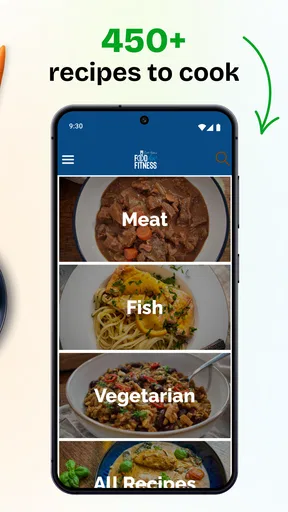
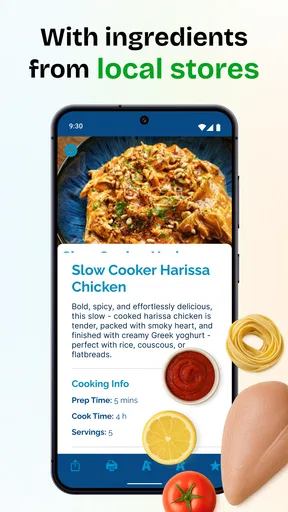
Now, onto the meat and potatoes of the app—literally! The recipe collection is vast, and I mean vast. From breakfast to dinner and even those sneaky snacks in between, there’s something for everyone. One thing that really stood out to me was how each recipe is broken down into simple steps. Even if your culinary skills are limited to boiling water, you’ll feel like a pro in no time.
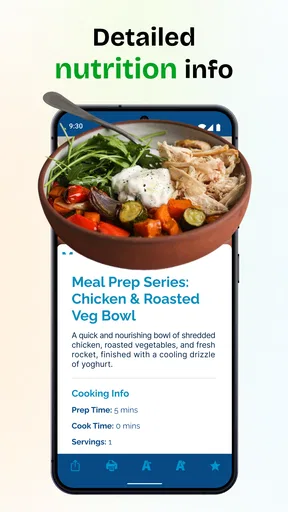
Each recipe includes nutritional information, which is a huge bonus if you're keeping track of your macros. And for those of us who like to meal prep, there's an option to adjust the serving size, automatically recalculating the ingredients. Talk about convenience!
Making the collection work in real life
The useful test is not browsing recipes when I’m relaxed; it’s deciding what to cook when the day has already run long. I’d use the collection by choosing one meal that fits the time I have, then checking whether its ingredients overlap with food already in my kitchen. That simple check can make a recipe app more practical than a saved folder of attractive dishes that require a special shopping trip every night.
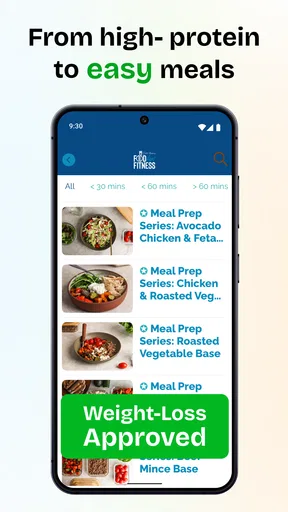
For meal prep, I’d treat serving adjustment as a planning aid, not a reason to cook a huge batch automatically. Scaling ingredients can help estimate quantities, but it doesn’t tell me whether a dish keeps well or whether I’ll still want to eat it later in the week. I’d start by doubling only recipes I already enjoy, then note which components are easiest to prepare ahead and which are better cooked fresh.
Nutrition information is most useful to me when I compare meals on a consistent basis. If I’m tracking macros, I’d check the serving size attached to the figures and make sure it matches the portion I actually plate. A number is only helpful when the portion and ingredients line up with what I eat; a generous serving adjustment can otherwise make comparisons misleading.
Special Features That Stand Out
Okay, so there's this nifty feature where you can create a shopping list directly from the recipes you want to try. Just click, and boom—your shopping list is ready. It's like having a personal assistant who knows exactly what you need. Plus, the app syncs with your calendar, so you can plan your meals in advance and get reminders. No more "what's for dinner?" panic at 5 pm.
Another cool aspect is the community feature. You can connect with other users, share your own recipes, and even get tips from fellow foodies. It’s like having a mini social network dedicated to fitness foodies!
A low-stress weekly workflow
I’d get the most from the shopping list by selecting a few recipes before I shop, then checking the combined list for ingredients I already own. That avoids buying duplicates and helps keep a plan flexible: if one ingredient is unavailable or costs more than I want to spend, I can decide on a substitute before I’m standing in the aisle. I’d still review the list rather than treating it as a final order, since pantry staples and preferred brands vary from home to home.
Calendar planning is useful when it supports a routine, but I wouldn’t schedule every meal so tightly that one change derails the week. A realistic approach is to plan only the meals that tend to cause last-minute stress, leaving room for leftovers or a spontaneous change. Reminders can prompt me to thaw something or shop in time, but they don’t replace checking what I actually have available.
The community element has a different trade-off from a recipe database: it can offer ideas from other cooks, but suggestions are still suggestions. I’d use shared recipes for inspiration and verify quantities, ingredients, and nutrition details before relying on them. If I don’t enjoy social features, I can focus on the recipe and planning tools instead of treating participation as part of the app’s value.
How it compares with other ways to find meals
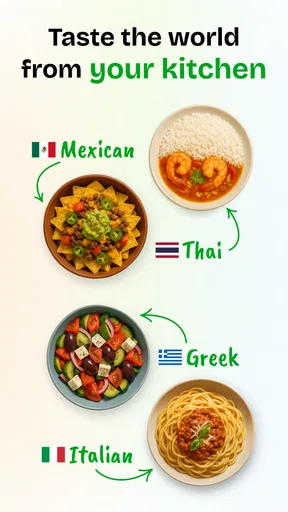
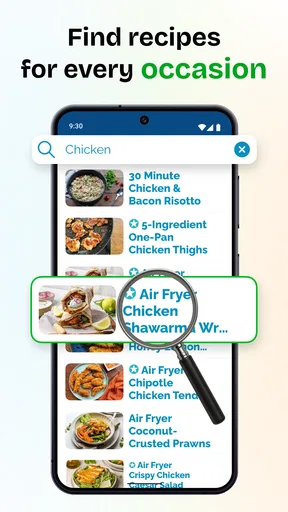
Compared with a general web search, a focused recipe app can reduce the work of sorting through unrelated dishes and translating an idea into a meal plan. The trade-off is that a narrower focus may not suit every craving or cuisine, so I wouldn’t expect it to replace every cookbook, family recipe, or broad cooking site I already use. For someone who wants fitness-oriented meal inspiration, that focus is a useful filter; for an adventurous cook seeking maximum variety, it may feel limiting.
Compared with tracking food in a nutrition app, recipe browsing answers a different question. A tracker is typically where I record what I ate; a recipe collection helps me decide what to make. If my main goal is logging meals precisely, I’d choose a tool designed around tracking. If my sticking point is getting from “I should eat better” to an actual dinner, this app’s recipe-and-planning approach is the more relevant starting point.
There’s also the familiar alternative of saving recipes in notes or bookmarks. That approach is flexible and doesn’t require changing how I cook, but it can leave me doing the work of organizing ingredients and planning meals myself. Here, the appeal is the connected workflow described in the app: recipes, serving adjustments, shopping, and calendar planning can sit together. Whether that is worth adopting depends on whether I’ll use those steps consistently.
Everyday fit, cost, and device basics
Picture a weekday when I finish work late, have a few ingredients at home, and don’t want to default to takeaway. I’d open the app earlier in the day, choose a suitable dinner, check the serving size, and put any missing ingredients on the shopping list. If I’d planned ahead, the calendar reminder could help me remember to shop or prepare something in advance. That is a modest routine, but it targets the moment when healthy intentions often lose out to convenience.
The app is free to download, though it includes optional in-app purchases priced from $7.99 to $59.99 per item. I’d begin with the free experience and decide whether I actually use the recipes and planning tools before spending anything. Those purchase options are a reason to check what is included at the point of purchase and whether the specific feature or content is something I expect to use, rather than assuming every part of the app costs the same.
It is rated for Everyone and requires Android 7.0 or later. The app was released on July 4, 2023, and its current version is 2.0.9. It has over 10,000 installs, while its average rating is currently 0.0, so there isn’t a meaningful rating signal to use as a shortcut. I’d judge it by whether the recipes and workflow suit my own kitchen rather than treating popularity or a rating as proof of quality.
Why You Might Love It Too
So, if you're someone who’s juggling a busy lifestyle but still wants to eat healthy, I think you’ll love Food For Fitness: Easy Recipes. It takes the guesswork out of meal planning and makes cooking fun and stress-free. Plus, the ability to tweak recipes based on your diet and goals means you're always in control of what you're eating.
And let's not forget the time-saving aspect. We all want to eat better, but who has hours to spend in the kitchen every day? This app makes it easy to whip up nutritious meals without sacrificing your time or sanity.
Overall, Food For Fitness: Easy Recipes is like having a personal chef in your pocket—minus the hefty price tag. Whether you’re a seasoned chef or a kitchen newbie, I think you’ll find this app both useful and enjoyable. Ready to take your meals to the next level? Give it a whirl and see for yourself!
<|fim_suffix|>Pros
- User-friendly interface for easy navigation.
- Wide variety of healthy recipes available.
- Offline access to saved recipes.
- Nutritional info provided for each dish.
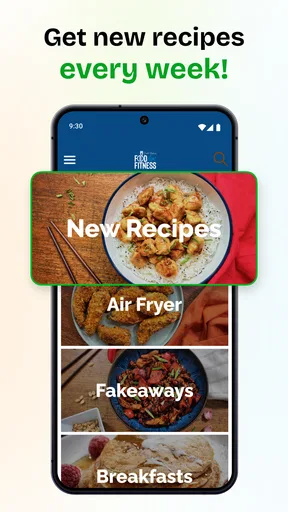
- Regular updates with new recipes.
Cons
- Limited customization for meal plans.
- Ads can be intrusive at times.
- No option for ingredient substitutions.
- Requires premium for advanced features.
- Occasional app crashes reported.
FAQs for Food For Fitness: Easy Recipes
What features does Food For Fitness: Easy Recipes offer?
Food For Fitness: Easy Recipes provides a wide range of healthy recipes tailored to different fitness goals, whether you're looking to bulk up, slim down, or maintain a balanced diet. The app includes detailed nutritional information, step-by-step cooking instructions, and the ability to save your favorite recipes for easy access.
Is Food For Fitness: Easy Recipes suitable for beginners?
Absolutely! The app is designed with simplicity in mind, offering easy-to-follow recipes that cater to all skill levels. Each recipe includes detailed instructions and tips, making it perfect for those new to cooking or unfamiliar with preparing healthy meals.
Does the app offer dietary-specific recipes?
Yes, Food For Fitness: Easy Recipes includes a variety of dietary-specific options such as vegetarian, vegan, gluten-free, and low-carb recipes. Users can filter recipes based on their dietary needs and preferences, ensuring they find meals that align with their lifestyle.
Can I track my nutritional intake with this app?
While the app focuses primarily on providing recipes, it does offer detailed nutritional information for each dish. This allows users to manually track their intake and make informed decisions about their meals in conjunction with other nutrition tracking tools they might use.
Is there a cost associated with downloading or using Food For Fitness: Easy Recipes?
Food For Fitness: Easy Recipes offers both free and premium content. While many recipes and features are available at no cost, the app also provides a subscription option for those who want access to exclusive recipes and features, such as personalized meal plans and advanced search options.


